
Crack open your notebook and grab your gel pens, it's time for Mainstream 101! This time: when...
Time to grab your calculators and trapper keepers, it's time for Mainstream 101!
Today, we're answering a question we get asked a ton: how much speed do you need? Mainstream Fiber offers internet services from 150 megabits per second all the way up to 1,000 megabits (also called 1 gigabit) per second. Mbps is a measure of how much information can be pumped to your home router every single second - the higher the number, the more data can go through that pipeline at a time. But at the end of the day, that number doesn't mean much to you if you don't know what it means for you and your family's actual day to day internet use. So today, we're here to teach you a simple equation to help you determine what speed you need!
Measuring in devices instead of mbps
Put simply: the more devices you have that require an internet connection, the more overall speed you'll require to make sure all those devices are running well. A higher Mbps can allow a single device to run faster and faster, but its more common use case is to allow you the bandwidth to run multiple devices at a decent speed all at once.
As a result, choosing how much internet speed you require is mostly a question of simple math! Let's create a simple equation that allows us to figure out how many devices we have in the home. Don't worry if you're math-phobic - we're talking very simple multiplication and addition here! We'll need to know 3 numbers first, and we'll give examples as we go.
1) How many people do you have in your household?
This one's straightforward - how many people live in your home? For our example, let's say Jane is looking to sign up for Mainstream Fiber but isn't sure what speed she needs. She lives with her husband, Chris, and they also have a 12 year old son, David. So that's 3 people total for our example.
2) How many devices, on average, do those people use regularly?
Think personal devices on this one - stuff that requires an internet connection that only one person in your home uses - things like cell phones, personal computers, laptops, or tablets. In our example, let's say Jane, Chris, and David all have cell phones, Jane has a tablet she likes to use during her downtime, Chris has a desktop PC he uses for his work from home job, and David has a laptop from school that has to be connected to submit homework. That's 2 devices per person.
3) How many shared devices that everyone in your home benefits from do you have?
This is the one that often trips people up - think about household-wide shared things that require an internet connection. For example, the Arlo doorbell cameras we offer would count here, as would any appliances that require a connection to use smart features. In our sample, Jane's home has a smart TV the whole family uses to watch movies in the living room, a second one in Jane and Chris's bedroom, a cheap doorbell camera, 2 video game consoles that Chris and David both use, and a smart thermostat that Chris installed a couple years back so the family can control the temperature from their phones while they're out and about. So let's add in 6 more devices.
Do the math!
Now that we have our numbers, let's plug them into our equation! The equation is as follows:
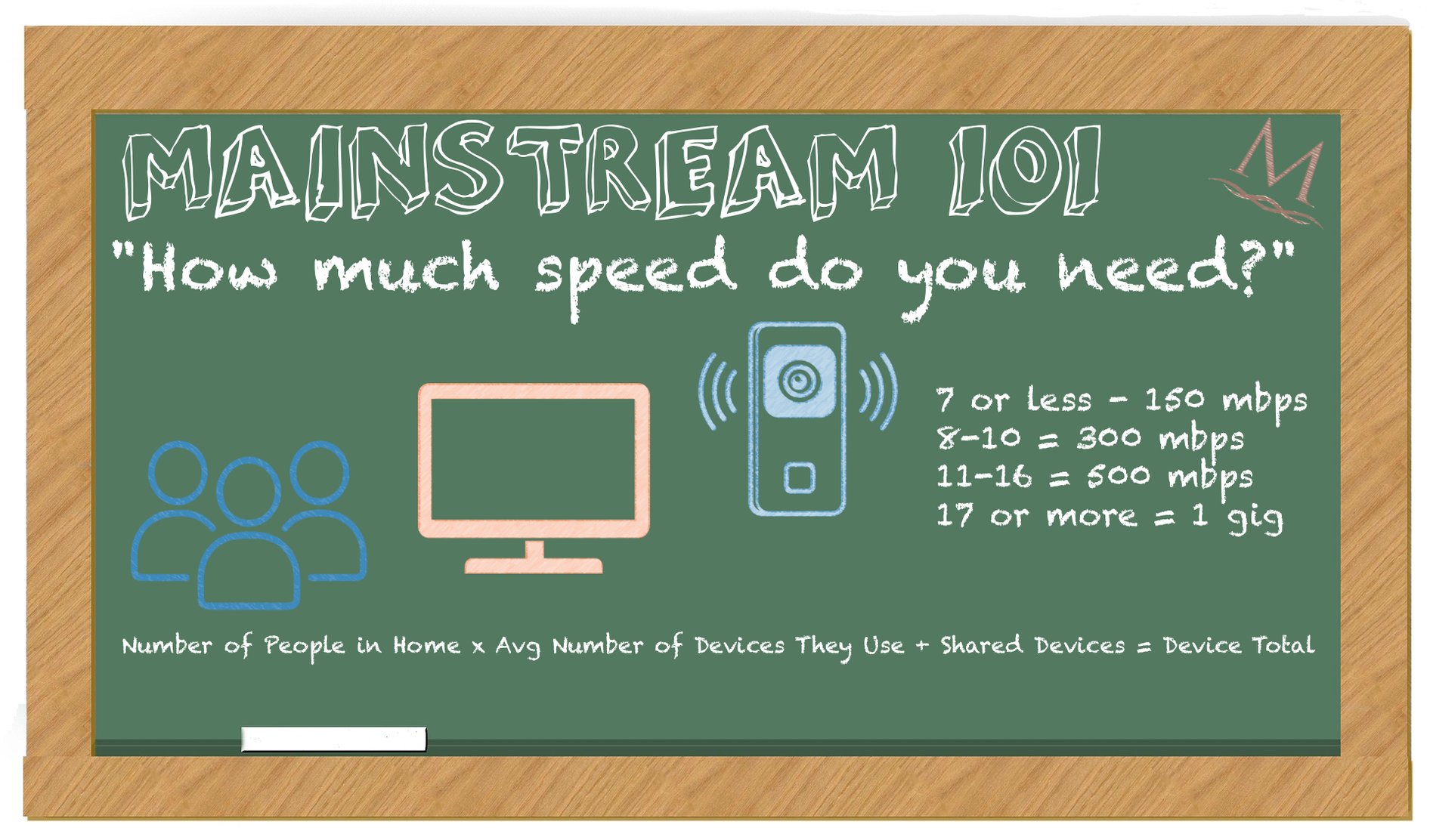
# of people in household x average device count + shared devices = device total
Simply take the number of people in your house, multiply that by average number of devices, add in your shared devices, and then you know exactly how many devices you need to keep connected! Apply your results there to the table below to figure out how much speed we recommend so you can have all your devices connected at peak power:
| NUMBER OF DEVICES | RECOMMENDED SPEED |
| 7 or fewer devices | 150 mbps |
| 8-10 devices | 300 mbps |
| 11-16 devices | 500 mbps |
| 17 or more devices | 1000 mbps (1 gig) |
For our example family, the equation is 3 x 2 + 6, for a grand total of 12 devices. So, for everyday use, we'd recommend Jane pick up our Connected and Protected plan, which includes 500 mbps of speed and also comes with a new, modern Arlo doorbell camera to replace that cheapo one they bought a few years back! Of course, if she wanted to future-proof and give the family more wiggle room to add more devices in the future, the Work and Play deluxe package might be a viable option as well.
So there you have it! A simple equation to help you feel out your need for speed.