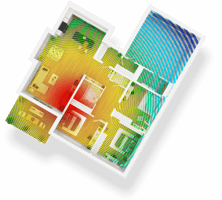
A new year is the perfect time to refresh and strengthen your home Wi-Fi. Whether you’re working...
Crack open your notebook and grab your gel pens, it's time for Mainstream 101! This time: when should you use a wireless connection via Wi-Fi versus a wired one via an Ethernet cable?
Isn't This Obvious?...Well, No!
It may seem obvious to you to just connect *everything* wirelessly. After all, it's convenient and functional for most day-to-day activities, and you don't have to deal with the clutter of running a cable around the house. It's the default option, and for good reason! For most day-to-day tasks, Wi-Fi will get the job done successfully and with minimal fuss.
However, Wi-Fi, convenient as it is, is by its very nature a signal that goes through the air without a set direction. It's basically the same as a radio - it's just blasting a signal out into the air and allowing receivers to find and catch it. As a result, the signal can end up bouncing around and taking longer to get to the device it needs to get to or, in the worst case, be blocked via interference from other electrical devices or thick walls. This can lead to some slight downgrades in quality, like some packet loss or reduced maximum speed.
Most of the time, that's something we can absolutely live with for the sake of convenience. But there are some jobs best done by another method!
Ethernet - The Power Option
if your internet needs to do a job where every second counts, it might still be a good idea to pull out an Ethernet cable and connect the device directly to the router. Your Mainstream router comes with several Ethernet ports for exactly this purpose! So why does an Ethernet cable do a better job for some tasks? Simply put, it solves the problem of the randomness of radio receiving - by containing the signal within a cable, you can direct the power of your Mainstream internet exactly where it needs to go instead of allowing it to bounce around. So, when you need the single fastest possible option, the direct connection of Ethernet centralizes the power of your Mainstream internet, and that's a convenient power to have when something urgent or timely needs to get done!
Some examples of where an Ethernet connection might be best:
Online Gaming
If you're looking to maximize your ability to play games online, and minimize your ping and latency, an Ethernet connection is always going to be the most stable option.
Working From Home
If you send and receive large files while you're working in a home office, you can easily direct your files as the highest priority and fastest sends by connecting your computer directly via Ethernet!
Stationary, Always On Devices
If you have online connected devices in your home that are almost always on and hardly ever need to move, such as a smart TV you use as an entertainment hub, it might be a smart idea to set it up near your router and hardwire it up with Ethernet. That way, you're getting your most powerful signal to a device you use frequently.
In short: use Wi-Fi for convenience, and Ethernet for power and stability. Both can have a place in your home internet setup!
.jpg?height=200&name=Image%20(11).jpg)